The TechnoLawyer Community
Home
TechnoLawyer NewsWire
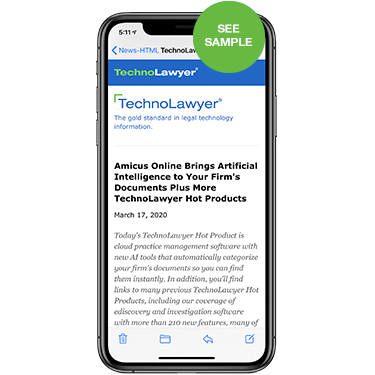
TechnoLawyer NewsWire is a weekly newsletter that discusses and provides links to three hot new technology products and services of interest to legal professionals.
Informative and fun to read, TechnoLawyer NewsWire is the best to stay on top of the most important new products and services. It explores these products in depth, and explains what they do in plain English. Additionally, each article features clever headlines, pop culture references, and a touch of humor.

TechnoLawyer NewsWire is free. Subscribe now to TechnoLawyer NewsWire and any of our other newsletters by using the form on this page.


Read a recent issue
Join TechnoLawyer Now
CURRENT MEMBERSHIP: 13,879
Your First Name: 
Your Last Name: 
E-Mail Address: 
Create Password: 
Retype Password: 
Alternate E-Mail 
(optional)
Recent Issues

Below you can see the most recent issues of this newsletter.

Return to List of Recent Issues

ProDoc New York Automated Forms: Read Our Exclusive Report

Wednesday, July 01, 2009

Today's issue of TechnoLawyer NewsWire covers a new automated legal forms program for New York lawyers (see article below), an iPhone app for scanning documents on the go, a legal-specific toolbar for Microsoft Office that automates document creation, a site on which you can search for large firm client memos, and a personal knowledge management application. Don't miss the next issue.

Cut Document Drafting Time in Half

PRD-2-NPP450

Do you draft legal documents? Would you like to reduce the time it takes to draft these documents? Here's a tip — delegate the work to someone else. Of course, someone has to do the work and that someone might be you so delegation may not work. Fortunately, an alternative solution exists — use document assembly software that contains all the forms you regularly use.

ProDoc New York Automated Forms … in One Sentence
West's ProDoc New York Automated Forms is a document assembly system that ships with a library of forms, eliminating the need to create your own.

The Killer Feature
Launching today, ProDoc New York Automated Forms joins its California, Florida, and Texas siblings in the West Forms family. West claims that these products can cut drafting time in half and also reduce errors.

ProDoc New York Automated Forms accomplishes this feat thanks to a patented document-assembly engine that enables you to create several documents simultaneously. You choose the documents you want to assemble, and then answer the corresponding questions. ProDoc New York Automated Forms then builds your documents in your word processor for final review and editing. The California, Florida, and Texas versions work the same way.

Other Notable Features
ProDoc New York Automated Forms has other time-saving features as well. For example, it saves all of the client and case data you enter for reuse in other documents you create, thus eliminating dual entry.

You can tailor ProDoc New York Automated Forms to your practice by choosing from the following libraries: Family Law, Estate Planning, Real Estate, or Office Practice (the latter includes all libraries).

ProDoc New York Automated Forms also includes forms for New York Office of Court Administration (OCA) and Surrogate's Court. You'll also find model forms created by lawyers who are experts in their respective fields. ProDoc New York Automated Forms automatically keeps these forms up to date over the Internet.

What Else Should You Know?
ProDoc New York Automated Forms includes three licenses. Each additional license costs $10. You can use ProDoc New York Automated Forms in conjunction with ProDoc Small Office Suite for an additional $25. ProDoc Small Office Suite is a practice management system that features a calendar, time and billing, client and case organization, contact management, document management, and client and case notes. Learn more about ProDoc New York Automated Forms.

How to Receive TechnoLawyer NewsWire
So many products, so little time. In each issue of TechnoLawyer NewsWire, you'll learn about five new products for the legal profession. Pressed for time? The "In One Sentence" section describes each product in one sentence, and the "Killer Feature" section describes each product's most compelling feature. The TechnoLawyer NewsWire newsletter is free so don't miss the next issue. Please subscribe now.

NitroPDF Professional 6.0: Read Our Exclusive Report

Thursday, June 25, 2009

Today's issue of TechnoLawyer NewsWire covers PDF software (see article below), an ergonomic office chair, intranet and collaboration software, an outsourced help desk service, and a time and expense tracking app for BlackBerrys. Don't miss the next issue.

Recession-Friendly PDF Software

Some lawyers wonder in bemusement when they run across fellow lawyers who cannot create PDF files. These lawyers invariably work in smaller firms. Contemplating one or two copies of Adobe Acrobat Professional at $350 each is no big deal, but multiply it by 10, 100, or 1,000 times even after accounting for volume discounts and you're talking some serious money. But ultimately, these critics are correct because many less expensive alternatives exist and the PDF format has essentially become a standard for document exchange among lawyers.

NitroPDF Professional 6.0 … in One Sentence
NitroPDF Professional 6 is an Adobe Acrobat Professional alternative at a lower price point.

The Killer Feature
Lawyers love complaining about working in a "sweat shop" and their lack of a work/life balance. Of course, people who work in real sweat shops would think they had died and gone to heaven if they could trade places with a typical "overworked" lawyer.

But there is a grain of truth in the term "sweat shop" since law firms are essentially document factories. As a result, many law firms use document management systems.

Recognizing this fact, the new version of NitroPDF Professional now integrates with Hummingbird, Documentum, and SharePoint. It also comes equipped with new deployment tools for centrally installing and configuring it throughout your firm.

Other Notable Features
Other new features include a 50% speed boost for PDF creation and batch processing, support for the PDF/A format, higher-quality conversions, and interface improvements.

You can use NitroPDF Professional to review documents thanks to markup tools such as commenting, highlighting, crossing out, replacing text, and more. Other legal-friendly features include Bates stamping, form creation and submission, the ability to shrink the size of PDF files, and automatic creation of bookmarks based on document formatting and headings.

NitroPDF Professional offers 128-bit security with the usual restrictions on alterations, copies, printing, etc. It also supports digital signatures.

What Else Should You Know?
NitroPDF Professional costs $99 for a single-user license. You'll pay less beginning at 11 licenses thanks to the corporate purchasing program. NitroPDF Professional runs on Windows 2000, XP, and Vista, including 64-bit versions. Learn more about NitroPDF Professional 6.0.

How to Receive TechnoLawyer NewsWire
So many products, so little time. In each issue of TechnoLawyer NewsWire, you'll learn about five new products for the legal profession. Pressed for time? The "In One Sentence" section describes each product in one sentence, and the "Killer Feature" section describes each product's most compelling feature. The TechnoLawyer NewsWire newsletter is free so don't miss the next issue. Please subscribe now.

ExpertHub Online Legal Network: Read Our Exclusive Report

Wednesday, June 17, 2009

Today's issue of TechnoLawyer NewsWire covers an online marketing service for law firms (see article below), a Web-based replacement for Microsoft Exchange, two Outlook plugins that prevent you from making embarrassing mistakes, and an iPhone app for editing Word documents. Don't miss the next issue.

Sit Back, Relax, and Grow Your Law Firm Practice

EXH-2-NPP450

Law firms interested in growing must engage in marketing. That is a fact. Marketing dollars are moving online, primarily because it's cheaper and more measurable than traditional marketing. That is a fact. But popular online advertising vehicles such as Google AdWords favor businesses with the expertise and resources to leverage their many intricacies. That is unfortunately a fact as few law firms can play this game. Instead, law firms need more of a set-it-and-forget-it approach to online marketing.

ExpertHub Online Legal Network … in One Sentence
ExpertHub Online Legal Network (ExpertHub) is an online marketing service designed to funnel prospective clients to law firms in a wide variety of practice areas.

The Killer Feature
ExpertHub consist of a network of legal sites such as LawFirms.com, AccidentAttorneys.com, BankruptcyLawFirms.com, TechnologyLawyers.com, and many others. These sites contain a growing collection of articles and other information about their respective areas of law.

Thanks to a combination of content, site architecture, and some alchemy (a.k.a. trade secrets), ExpertHub's legal sites appear on the first page of Google for searches such as "personal injury lawyer" and "bankruptcy filing." As a result, the sites receive lots of traffic from people seeking legal services.

ExpertHub transforms this traffic into qualified leads for your law firm using a questionnaire. When a prospect's legal needs match your law firm's profile, you receive their name, email address, and telephone number. ExpertHub tells us that it delivered more than 14,000 leads last month.

Other Notable Features
To get started with ExpertHub, you use the expertPLANNER proposal generator to figure out what type of subscription would best suit your firm and its marketing goals. Before you spend a dime, expertPLANNER will tap into ExpertHub's historical data to predict the number of leads you'll receive and how much it will cost. You can run "What Ifs" to see how changing geographic location, practice areas, case types, etc. impacts these numbers.

While you can simply create a profile and then sit back and collect leads, more proactive firms willing to do a little work can take advantage of ExpertHub's expertSYNDICATION service through which you can publish articles on ExpertHub's sites and also link to these articles in your profile.

ExpertHub does not charge for its expertSYNDICATION service so it costs only your time. The articles add depth to your profile and can also generate more leads. If you're too busy to write articles, ExpertHub can write them for you for a fee.

Once you start working with ExpertHub, you can track performance using the expertSTAT dashboard, which shows you profile and article views, lead volume, and more.

What Else Should You Know?
ExpertHub's subscription prices are based on historical lead volumes for your geographic location(s) and practice area(s). Learn more about ExpertHub.

How to Receive TechnoLawyer NewsWire
So many products, so little time. In each issue of TechnoLawyer NewsWire, you'll learn about five new products for the legal profession. Pressed for time? The "In One Sentence" section describes each product in one sentence, and the "Killer Feature" section describes each product's most compelling feature. The TechnoLawyer NewsWire newsletter is free so don't miss the next issue. Please subscribe now.

iPhone 3G S: Read Our Exclusive Report

Wednesday, June 10, 2009

Today's issue of TechnoLawyer NewsWire covers a new smartphone (see article below), a secure online communication system for lawyers and clients, an online document management system, new practice management software, and an iPhone printing utility. Don't miss the next issue.

A New iPhone Blooms Every June

How do we cover a product every mainstream publication has already covered? Normally, we wouldn't bother, at least in the feature section of this newsletter. But Apple's iPhone platform is too important not to cover even though most legal vendors and law firms have yet to leverage its potential. So rather than ignore it or relegate it to the Roundup below, we'll explore the features most relevant to law practice.

iPhone 3G S … in One Sentence
Apple's iPhone 3G S is a new smartphone that runs iPhone 3.0, and is available in the United States on the AT&T wireless network.

The Killer Feature
Thanks to the simultaneous release of the iPhone 3G S and iPhone 3.0, owners of the two older iPhone models can take advantage of many new features for free. But the iPhone 3G S' faster processors (CPU and GPU) gives it some exclusive capabilities, one of which is Voice Control.

The Voice Control technology enables you to make phone calls and play music. To make a call, you can speak the name of a contact or a phone number. For music, the iPhone understands songs, albums, and artists as well as other commands such as "Play more songs like this one."

Other Notable Features
The iPhone 3G S includes a 3 megapixel autofocusing camera capable of capturing photos and video. If you're unhappy with the autofocus, you can tap an item on the screen to manually focus on it. After capturing video, you can trim your footage on the iPhone and directly upload it to YouTube.

Also new is a digital compass that integrates with the Google Maps application, and built-in Nike+ functionality for runners and walkers. The digital compass can help you with the most difficult aspect of driving from place to place when traveling — getting started.

iPhone 3.0 includes a number of new features for all iPhone models, including cut, copy, and paste, landscape keyboard, remote wipe, voice memos, MMS, universal search, and tethering (not yet available in the US). iPhone 3.0 also paves the way for GPS-based turn-by-turn voice navigation apps (TomTom for iPhone ships next week).

What Else Should You Know?
Third-party developers continue to crank out iPhone apps at a mind-boggling pace as the App Store now contains more than 50,000 apps, including a growing library of legal productivity and reference apps. In the US, everyone except AT&T customers with more than 6 months remaining on their contract can purchase the iPhone 3G S for $199 (16 GB) or $299 (32 GB). Apple dropped the price of the 8 GB iPhone 3G to $99. Learn more about the iPhone 3G S.

How to Receive TechnoLawyer NewsWire
So many products, so little time. In each issue of TechnoLawyer NewsWire, you'll learn about five new products for the legal profession. Pressed for time? The "In One Sentence" section describes each product in one sentence, and the "Killer Feature" section describes each product's most compelling feature. The TechnoLawyer NewsWire newsletter is free so don't miss the next issue. Please subscribe now.

Chrometa 1.1: Read Our Exclusive Report

Wednesday, June 03, 2009

Today's issue of TechnoLawyer NewsWire covers software that automatically captures billable activities (see article below), a new smartphone, a case management and accounting system for large law firms, an online technical support service, an iPhone app for storing passwords and other confidential information. Don't miss the next issue.

Don't Track Your Time, Capture It Instead

CHR-1-NPP450

In the old days, working on a client's matter involved fetching a folder from a file cabinet. While you might receive a phone call about another matter, multitasking as we know it today didn't really exist. Thanks to the combination of email and computers that can run many programs simultaneously, you fly from task to task on different matters, making it challenging if not impossible to accurately track your billable time using old-fashioned methods. It's time to track your time differently.

Chrometa 1.1 … in One Sentence
Chrometa 1.1 is a billing program that automatically captures and categorizes the billable time you spend on your PC.

The Killer Feature
Although time tracking for many lawyers has long since moved from a ledger to computer software, the method remains the same. Lawyers must actively enter the time they spend on tasks. Timers can help, but they too essentially operate manually.

Chrometa takes a different approach. You just work. And Chrometa watches in the background. It logs all your computer activity and also tracks the time.

For example, if you spend three ten minute sessions working on a Word file named Smith Motion, it'll list the name of that document, display your three sessions and the time for each, and also provide the 30 minute total.

"Our product was built to prevent law firms from leaving revenue on the table by enhancing and even replacing some of the antiquated methods for time tracking," Chrometa founder Brett Owens told us via email.

Other Notable Features
Chrometa logs all computer activity, including time spent on documents, email, and online research. However, Chrometa does not log keystrokes or any other content, thus preserving confidentiality — plus you can block certain applications from being tracked. To create a time entry, you apply a client/matter tag to a captured activity.

Chrometa doesn't just track your computer activity, it also learns from your input. For example, after you tag the time spent on a document or its folder with a client/matter, Chrometa automatically assigns any future work on that document to that client/matter.

Chrometa doesn't just live on your PC. You can export data into Excel, so that administrators such as your assistant or your bookkeeper can access your logs. You can also generate a wide variety of reports for internal purposes as well as audits.

What Else Should You Know?
Chrometa starts at $49 for a single user license. The company also sells team licenses ($229 for 5 users, $439 for 10 users, etc.). The team license includes network tracking. All licenses include email support. Learn more about Chrometa.

How to Receive TechnoLawyer NewsWire
So many products, so little time. In each issue of TechnoLawyer NewsWire, you'll learn about five new products for the legal profession. Pressed for time? The "In One Sentence" section describes each product in one sentence, and the "Killer Feature" section describes each product's most compelling feature. The TechnoLawyer NewsWire newsletter is free so don't miss the next issue. Please subscribe now.

As a fairly unsophisticated technophile, I find the TechnoLawyer Newswire helps explain new software, gadgets, and other products in language I can understand. Plus, it always provides links to a fuller explanation of the product or service. All in all, a very helpful read for an old lawyer trying to keep up.
- Jack P. Doran, Esq., Law Office of Jack Doran
Advertise With Us
Powered by PeerViews About Us | Advertise With Us | | Privacy Policy | Terms of Service
TechnoLawyer • PeerViews Inc., 100 Church Street, FL 8, New York, NY 10007
Copyright © 1997-2009 PeerViews Inc. All rights reserved.